
Phota (64-bit)4.4 - Download
You'll be able to download in few seconds.
Publisher Description
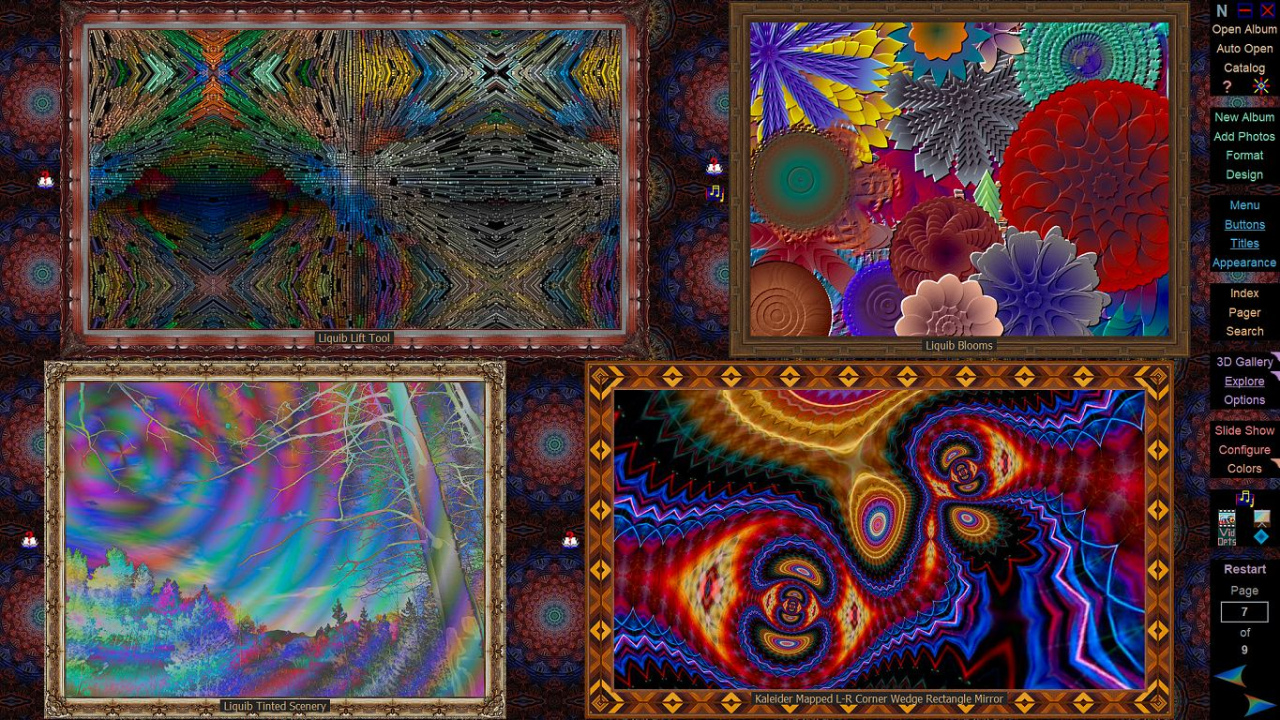
Phota provides comprehensive tools for archiving and annotating your images into attractive, interactive photo albums. It is an ideal application for people with digital cameras, who wish to immediately enjoy their uploaded photos, without spending much time and effort in creating and formatting albums. Images can be added very quickly with the Load Photos feature, optionally from IPTC and/or EXIF image data. A versatile Page Designer screen contains intuitive controls for building and formatting album pages. Audio and video sequences can also be incorporated into albums, and display sequences can be captured to video files. A handy Photo Index provides a quick scan through all of the photos in an album, with options to display thumbnail or full-screen images, show photo descriptive information or skip to a selected page. Photo Search can be used to find all photos containing a particular string of text within their descriptions. Album pages or individual photos can be viewed as a slide show, with various options.
The Gallery feature transforms the display into 3D perspectives, with album photos exhibited along the walls of Gallery rooms, constructed in various styles. Explore can be activated to automatically stroll through Galleries, pausing to admire each photo in turn.
About Phota (64-bit)
This Gallery & Cataloging Tools program is available in English. It was last updated on 29 September, 2026. Phota (64-bit) is compatible with the following operating systems: Windows.
The company that develops Phota (64-bit) is Whizical.com. The latest version released by its developer is 4.4.
The download we have available for Phota (64-bit) has a file size of 12.6 MB. Just click the green Download button above to start the downloading process. The program is listed on our website since 2023-12-01 and was downloaded 0 times. We have already checked if the download link is safe, however for your own protection we recommend that you scan the downloaded software with your antivirus. Your antivirus may detect the Phota (64-bit) as malware if the download link is broken.
How to install Phota (64-bit) on your Windows device:
- Click on the Download button on our website. This will start the download from the website of the developer.
- Once the Phota (64-bit) is downloaded click on it to start the setup process (assuming you are on a desktop computer).
- When the installation is finished you should be able to see and run the program.
Program Details
System requirements
Download information
Pricing
Version History
version 4.4
posted on 2023-12-01
Phota is now free, and other improvements.
version 4.3
posted on 2023-05-24
64-bit program now available. Video improvements
version 4.2
posted on 2021-02-09
Expanded Picture Frame options. A new Tower Gallery. Added Spout screen sharing.
version 4.1.4
posted on 2019-03-03
Button right-click indicators.
version 4.1
posted on 2017-08-09
Interface enhancements, rewritten OpenGL Galleries and many other improvements
version 4.0
posted on 2014-03-17
New interface, improved 3D Galleries
version 3.7
posted on 2007-01-24
Windows Vista compatibility and revamped Help
Disclaimer
External Download
We do not host Phota (64-bit) on our servers. We did not scan it for viruses, adware, spyware or other type of malware. This app is hosted by the software publisher and passed their terms and conditions to be listed there. We recommend caution when installing it.
The external download link for Phota (64-bit) is provided to you by apps112.com without any warranties, representations or guarantees of any kind, so access it at your own risk.
If you have questions regarding this particular app contact the publisher directly. For questions about the functionalities of apps112.com contact us.
